We are all familiar with how Configuration Manager 2007 handled software updates and, without speaking for everyone who was using SMS 2003, we can probably agree that 2007 made multiple strides forward in making the update process easier. We can all celebrate again as Configuration Manager 2012 is set to deliver another step forward in making the management for software updates easier and more efficient.
There are some differences that will require some adjusting to, as Update Lists have been replaced with more effective Software Update Groups, but all things considered, I believe the individuals managing software updates within their environment will not be disappointed.
Updates Search
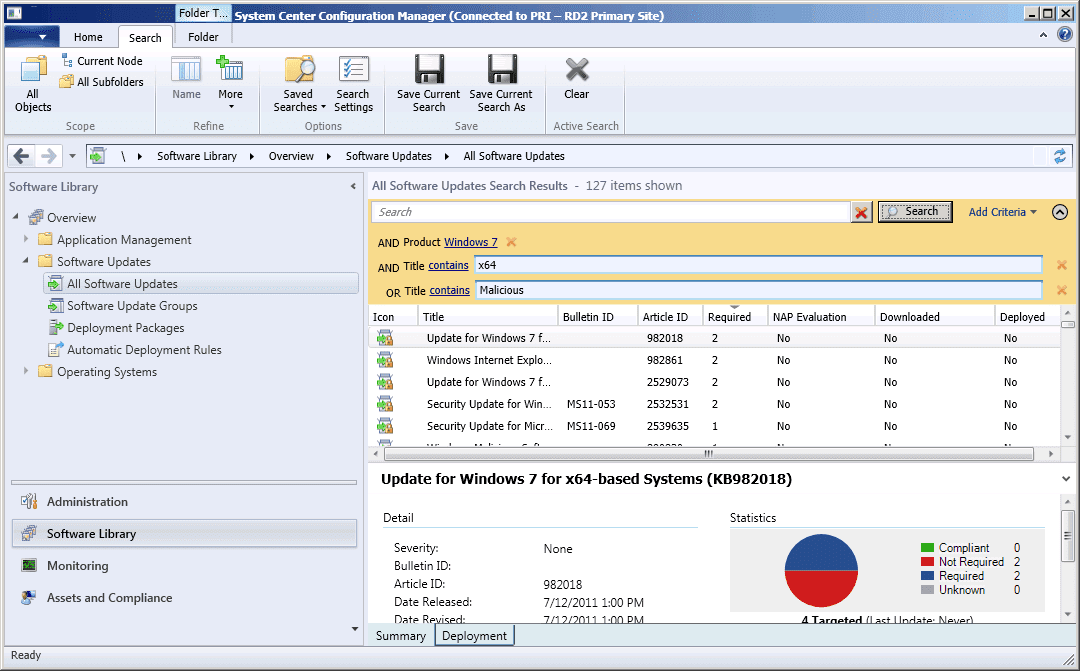
In ConfigMgr 2007 it was common practice to create search folders in order to quickly and easily find updates based on specific criteria to facilitate the deployment process. This ability is still available in ConfigMgr 2012 but has a slightly different feel in the new console.
First, the “All Software Updates” node literally does contain all synchronized updates. This provides the ability to perform an on the fly search of the entire updates database, eliminating the need to navigate through the folders containing different update types as in ConfigMgr 2007. In ConfigMgr 2012, once you have added the criteria on which to base your search, you can simply select “Save Current Search As,” provide it a name, and that search will be available in the Saved Searches option in the ribbon.
Software Update Groups
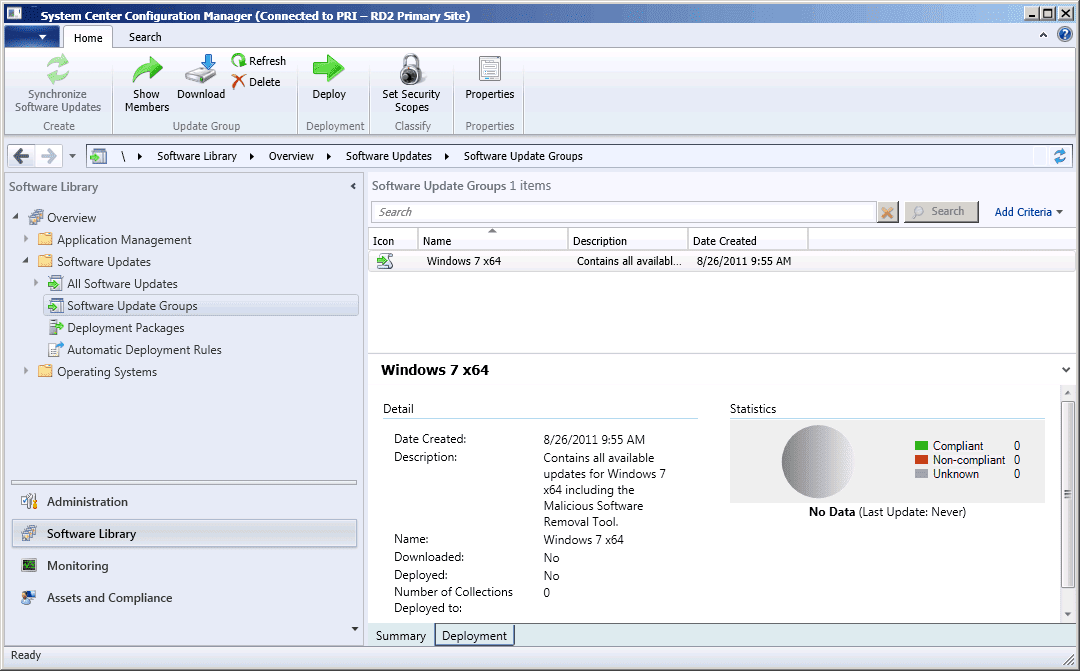
Although the terminology is different, the Software Update Groups resemble Update Lists from ConfigMgr 2007. More of the benefits from the new software update groups are in the console redesign. When viewing the Software Update Groups, you simply select the Update Group and in the bottom viewing pane, and the compliance of the systems will be seen. This however shows compliance based on how many systems have installed all of the required updates from within Update Group.
Automatic Deployment Rules
One of the most useful and efficient improvements that will be experienced in the release of Configuration Manager 2012 is the ability to configure Automatic Deployment Rules for Software Updates. This function provides software update administrators with the ability to design an almost hands off solution to the standard update process.
The creation of automatic deployment rules can be as broad ranged or detailed as required by the updates admin. These rules:
- Can be targeted to specific collections
- Have the ability to create new software update groups or add to existing groups
- Auto accept license agreements
- Adhere to custom criteria
- Run on a specified schedule
- Generate alerts based on compliance
For example, an organization publishes all Windows 7 and XP updates released on Patch Tuesday that are classified with a severity level above “Low.” An automatic deployment rule would be created as follows:
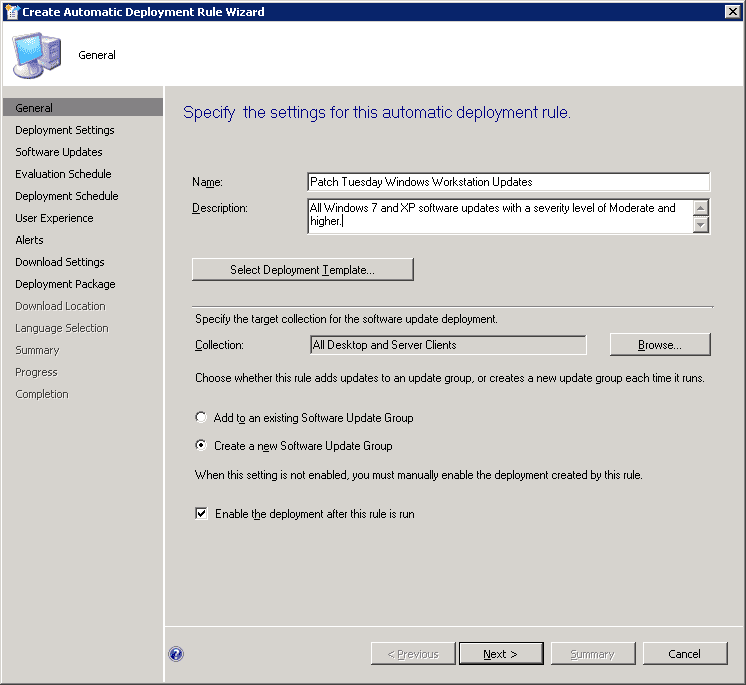
As some of the updates that might be included within the Update Group created by the automatic deployment rule may have license agreements, it must be determined if these updates will be deployed. The option exists to allow the auto deployment rule to accept the EULA when it runs its evaluation. The deployment settings tab has the option to deploy or not deploy based on the existence of an included license agreement.
The criteria for the rules are configured with similar options that were available in the search folders from with ConfigMgr 2007.
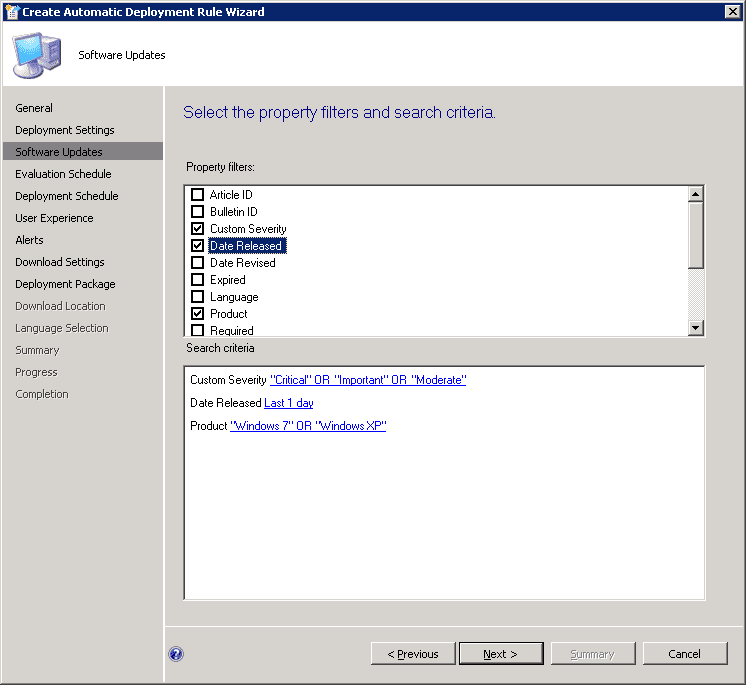
After the criteria have been setup to fulfill the necessary requirements, the evaluation schedule would be configured to execute on the 2nd Tuesday of every month. The deployment schedule, download settings, and deployment package configurations are similar to the options available in ConfigMgr 2007.
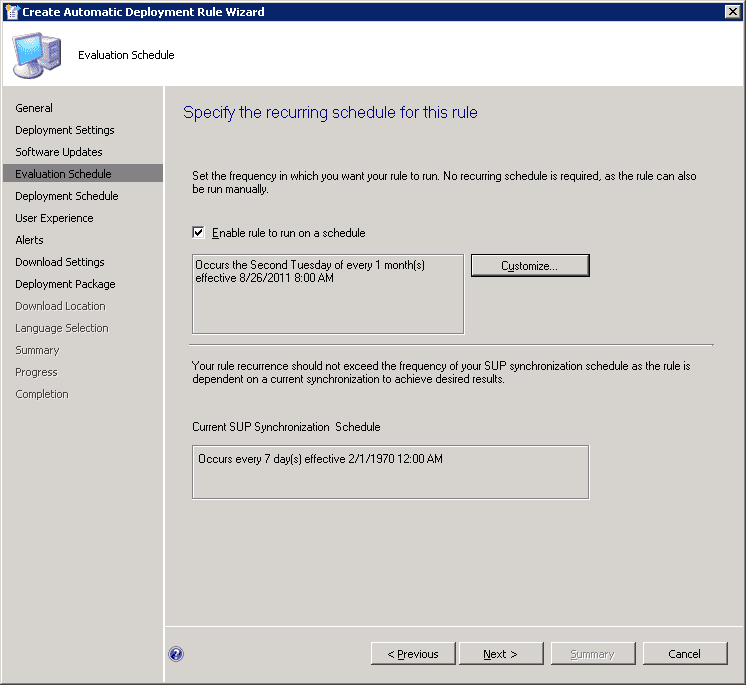
Once the auto deployment rule is in place, all of the Patch Tuesday updates will be automatically available to the workstation environment without the need of the administrator to select updates, create and update list and download and deploy the updates. This entire process will be completed and can simply be validated.
With this type of automation availability, the overall workload will be reduced and the deployment efficiency greatly increased regardless of the environment being managed. For all intents and purposes, Configuration Manager 2012 is another large step forward in the development of systems management. I, for one cannot, wait to be able to deliver this product upon its release and provide systems administrators with the tool set to improve the quality of their environment. As stated previously, this is just one portion of the improvements that await us all in ConfigMgr 2012. Check back for additional insight into the next generation of Systems Management.
Click here to read my other blog on SCCM 2012.